
I need a tax invoice for my app subscription
Scenario
You purchase one of our apps from monday.com and require an invoice for the subscription.
What to do
Unfortunately, we cannot supply you with an invoice because the transaction took place between you and monday.com using their payment system.
In fact, if the transaction occurred in the last 60 or so days, we may yet to have received payment for the transaction from monday.com.
Go to the https://support.monday.com/hc/en-us/articles/360018133639-Where-can-I-find-my-invoices- help page in monday.com and follow the instructions to download an invoice.
If you cannot locate the invoice there, please submit a support request to monday.com (see below) and ask them for the invoice.
You may need to explain that you purchased the app using monday.com’s payment system, so all details of the purchase, including the tax applied will be in their systems.
You may wish to link to this page in your message to monday.com support to help provide context to the support ticket.
What happens when the “View Tax Invoice” link is greyed out?
Sometimes this does happen, and you will not be able to download the tax invoice:
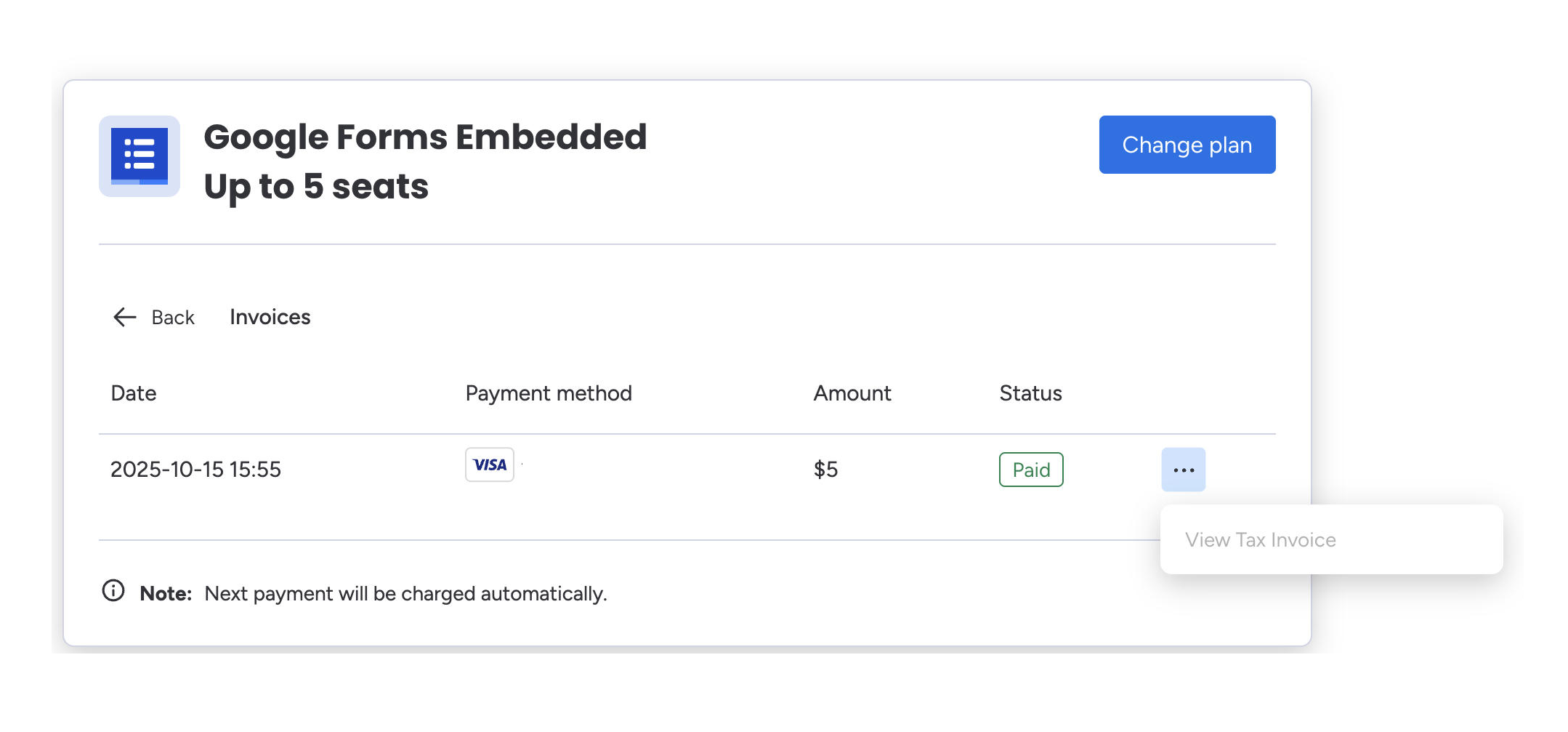
If this is the case, the invoice for this purchase was not generated correctly in your account, which is why the download link is currently greyed out.
To resolve this, you need to submit a support request to monday.com (see below) for the invoice to be regenerated by the monday.com billing team.
How to submit a support request to monday.com
To submit a support request to monday.com, email support@monday.com and ask them for the invoice.
You may need to explain that you purchased the app using monday.com’s payment system, so all details of the purchase, including the tax applied will be in their systems.
You may wish to link to this page in your message to monday.com support to help provide context to the support ticket.
Tell them whether the “View Tax Invoice” link is greyed out