
JSON Parser workflow block
AUTOMATION BLOCK WORKFLOW ONLY
This workflow action can be used to parse data output from the Send HTTP Request automation block.
Just like the Send HTTP Request block, it is only available for workflows, not automations.
How the workflow works
The JSON parser uses a JSONata expression to transform JSON from one shape to another.
Here’s a walkthrough video to show how the workflow feature works:
https://www.youtube.com/watch?v=nGniuhL3r04What is JSONata?
JSONata is a JSON query and transformation language. It is an extremely powerful way to transform JSON data from one shape to another.
Worked examples
Creating a status rollup for subitems
Send HTTP Request block
In the Send HTTP Request block, we used the following:
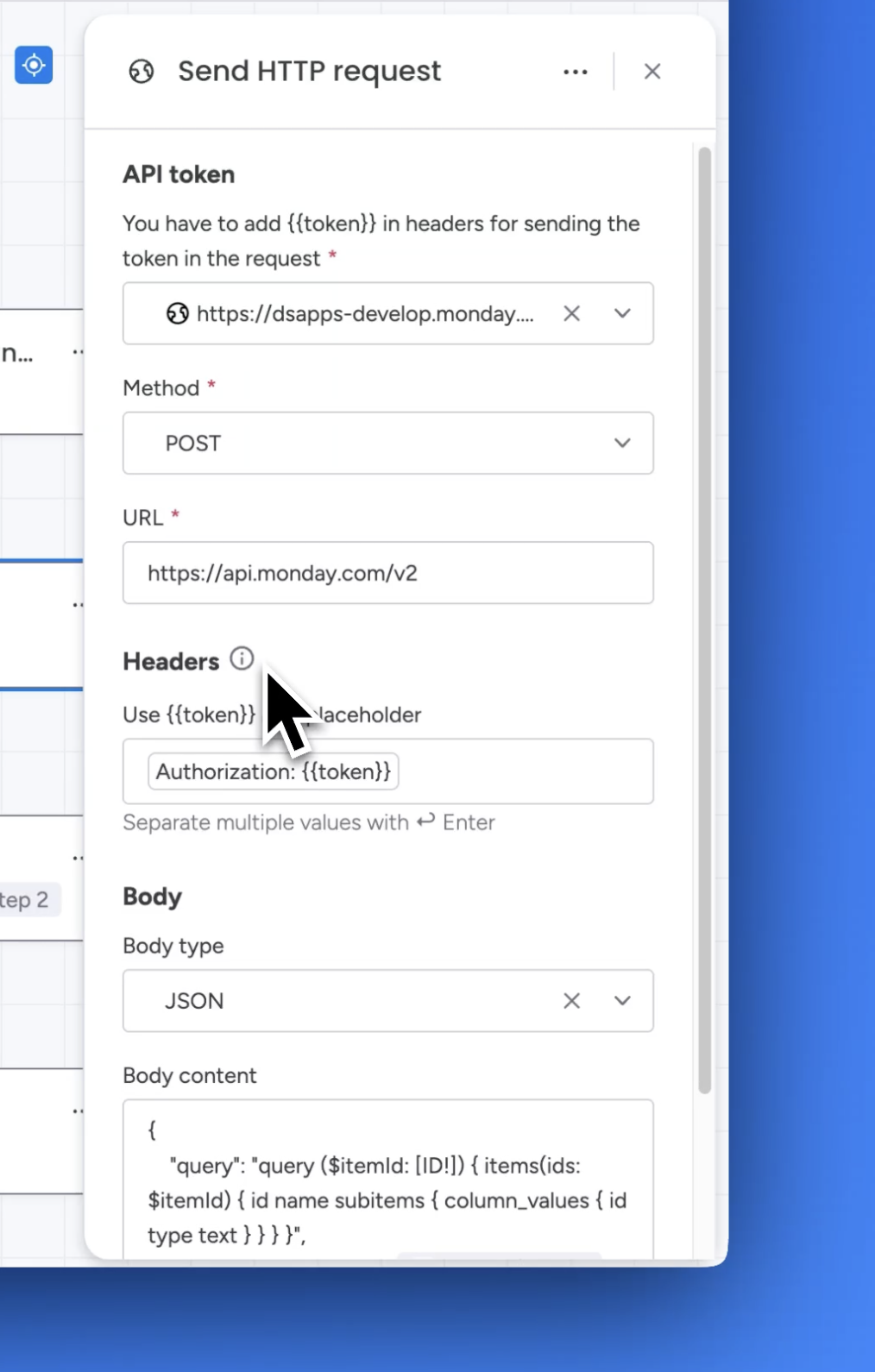
The body content is:
{
    "query": "query ($itemId: [ID!]) { items(ids: $itemId) { id name subitems { column_values { id type text } } } }",
    "variables": { "itemId": [ *[Step 1|Item ID]* ] }
  }
where *[Step 1|Item ID]* is the value of the Item ID from step 1 of the workflow.
JSON Parser block
Sidekick AI understands JSONata, so you can use it to create the expressions you need.
We asked Sidekick the following:
With the following GraphQL query:
CODE{ "query": "query ($itemId: [ID!]) { items(ids: $itemId) { id name subitems { column_values { id type text } } } }", "variables": { "itemId": [ ${itemId} } }I want a JSONata expression which parses the result, gets all the subitem status column values, then outputs a string as follows:
If the total count equals the count of "Done" values → all are done → "Done"
If any are "Stuck" → "Stuck"
If any are "Working on it" → "Working on it"
Otherwise → ""
Sidekick produced the following expression for a status rollup for subitems:
(
  $statuses := data.items[0].subitems.column_values[id="status"].text;
  $total := $count($statuses);
  $doneCount := $count($statuses[$ = "Done"]);
  $total = $doneCount ? "Done"
    : $count($statuses[$ = "Stuck"]) > 0 ? "Stuck"
    : $count($statuses[$ = "Working on it"]) > 0 ? "Working on it"
    : ""
)
The above example assumes that the column ID of the status column is status. Update this to suit your needs.
Here’s the full demo video for creating a status rollup for subitems:
https://www.youtube.com/watch?v=ARHBOU3tniECreating a timeline rollup for subitems
Send HTTP Request block
In the Send HTTP Request block, we used the following:
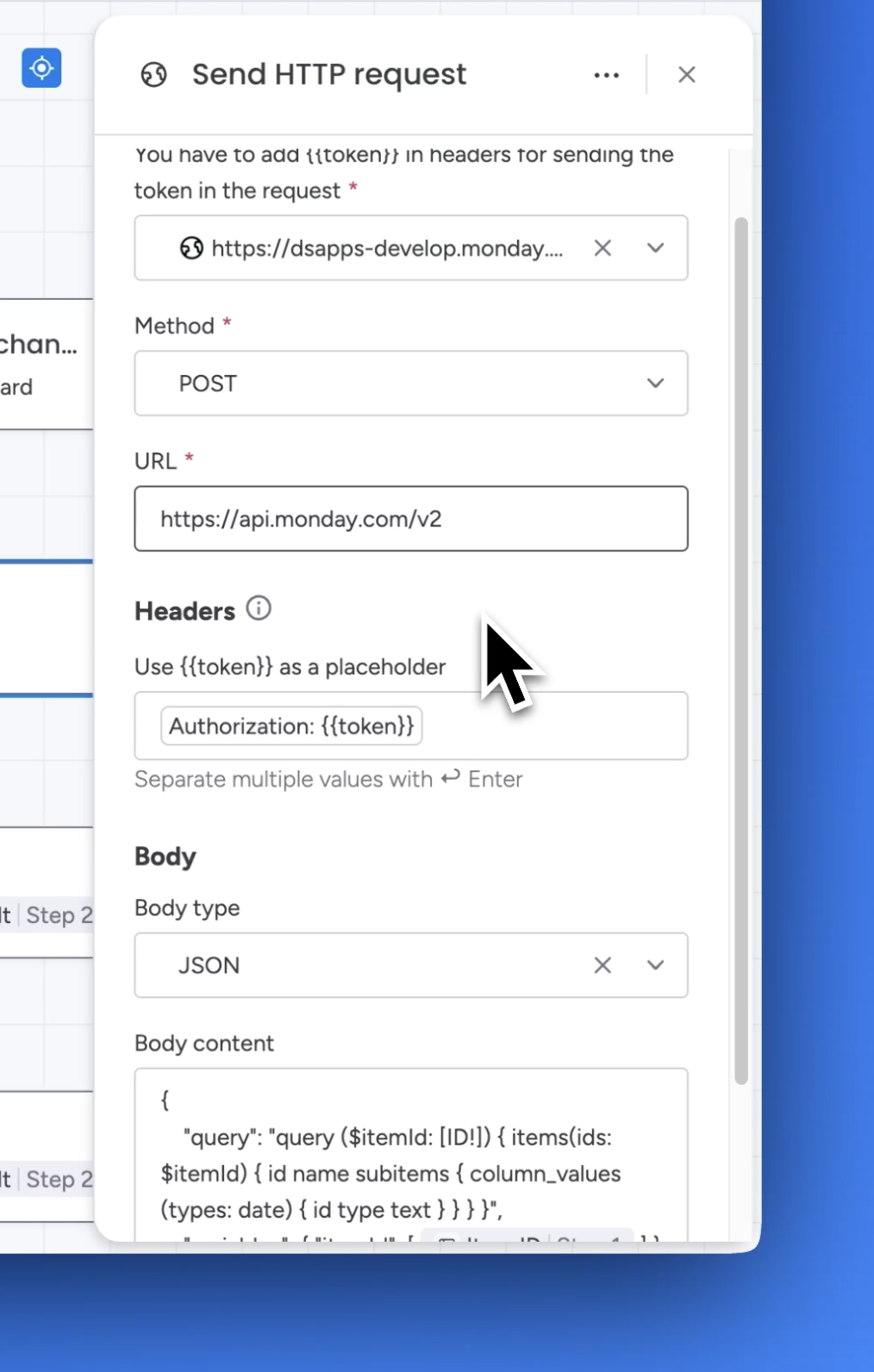
The body content is:
{
    "query": "query ($itemId: [ID!]) { items(ids: $itemId) { id name subitems { column_values (types: date) { id type text } } } }",
    "variables": { "itemId": [ *[Step 1|Item ID]* ] }
  }
where *[Step 1|Item ID]* is the value of the Item ID from step 1 of the workflow.
JSON Parser block (Step 3)
Get the min date from the subitem columns:
(
  $dates := data.items.subitems.column_values[type = "date" and $string(text) != ""].text;
  $min := $sort($dates)[0];
  $max := $sort($dates)[-1];
  $min
)
JSON Parser block (Step 4)
Get the max date from the subitem columns:
(
  $dates := data.items.subitems.column_values[type = "date" and $string(text) != ""].text;
  $min := $sort($dates)[0];
  $max := $sort($dates)[-1];
  $max
)
Here’s the full demo video for creating a timeline rollup for subitems:
https://www.youtube.com/watch?v=l7W8zraE0UY