
Create SharePoint site
AUTOMATION BLOCK
This workflow action can be used to create a SharePoint site whenever a trigger happens, such as when status changes, or when an item is created.
In SharePoint, a new private group is created and then a site is created for the group. The name of the site (and it’s group) is configurable within the workflow.
Here is an example workflow using the action:
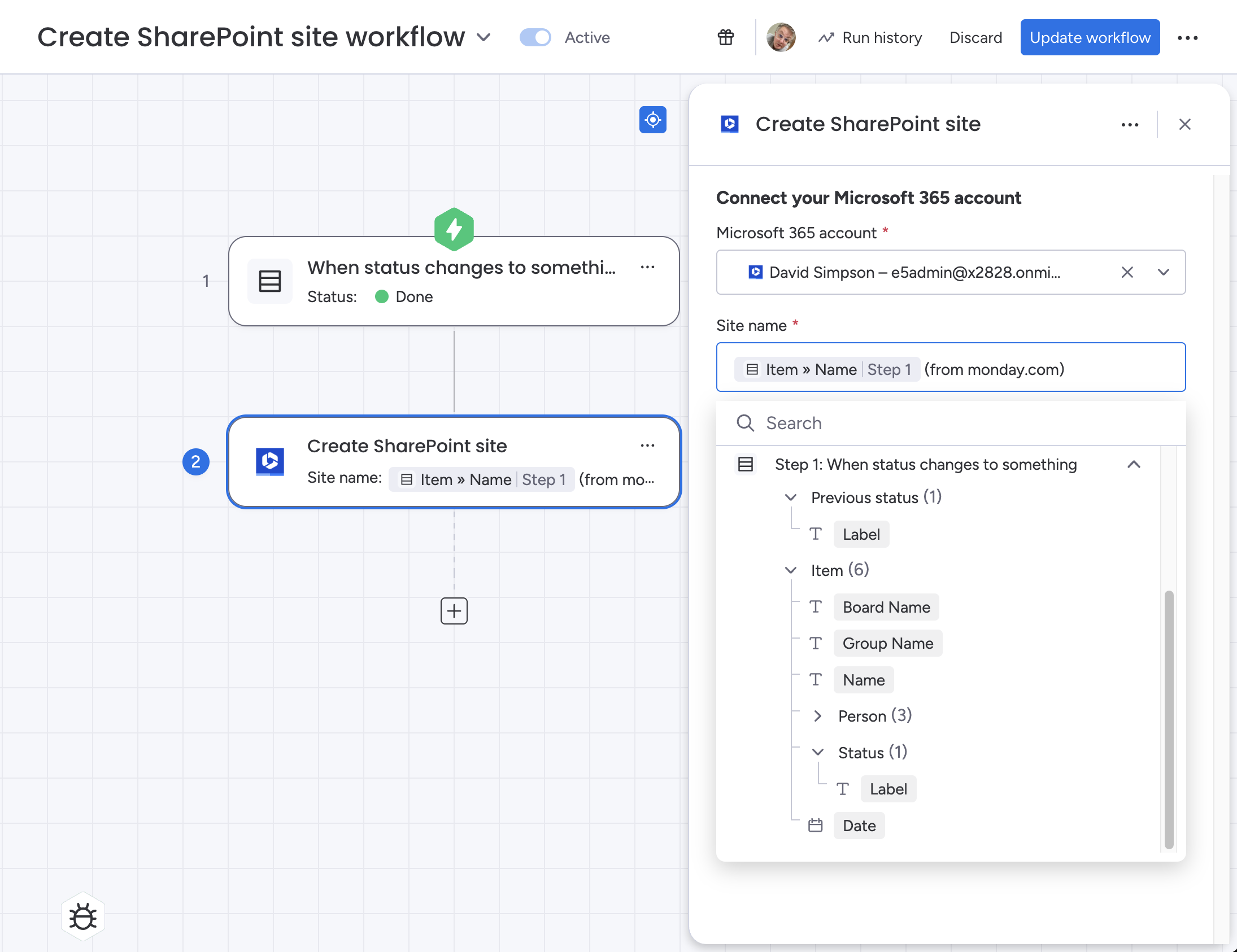
Some considerations when using this workflow action:
Groups are always created with email enabled
The owner of the group is assigned as the Microsoft 365 user selected in the workflow under “Connect your Microsoft 365 account”
No group members are assigned to the group – this must be done manually within Microsoft 365
The workflow action will create a column of type link named “
SharePoint Site“ with column ID “link_m365_site“If you delete this column, the monday.com API will prevent the automation from subsequently recreating the column a second time. This is a limitation of the monday.com API.
How the workflow works
Here’s a walkthrough video to show how the workflow feature works:
https://www.youtube.com/watch?v=j2jn66tOTyc